
Download the 1xBet APK in Cameroon
The 1xBet Android app comes as an APK file that you download straight from the official site. Here’s how to install it in a few minutes, check your phone is compatible, keep the app up to date and fix the most common errors.
- Free
- Android 7.0 or later
- About 46.9 MB
- Same account as the website
What is the 1xBet APK?
The APK is the installation file for the Android app. Google Play only allows real-money betting apps in some countries, so in Cameroon you download the app from the official site and your phone installs it.
Once installed, it gives you your whole account: pre-match and live betting, esports, casino, live casino, 1xGames, the bet slip and the cashier for MTN MoMo and Orange Money.
Only download the file from the official site. APKs shared elsewhere — “Russian”, “modded” or “winning coupon” versions — can carry malware and steal your login.
Android app specs
The app is free and runs on Android 7.0 or later. The file is about 46.9 MB.
| Item | Value |
|---|---|
| Name | 1xBet |
| Latest version | 257.x |
| File size | About 46.9 MB |
| Android required | 7.0 or later |
| Permissions | Network, storage, notifications |
| Price | Free |
| Where to get it | Only from the official site |
Will it work on my phone?
| Minimum | Recommended | |
|---|---|---|
| Android version | 7.0 | 10 or later |
| RAM | 2 GB | 4 GB |
| Free storage | 150 MB | 500 MB |
| Connection | 3G | 4G or Wi-Fi |
Installed with its cache, the app takes up about 120–150 MB, so keep at least 150 MB free before you start.
Installing the app on Android
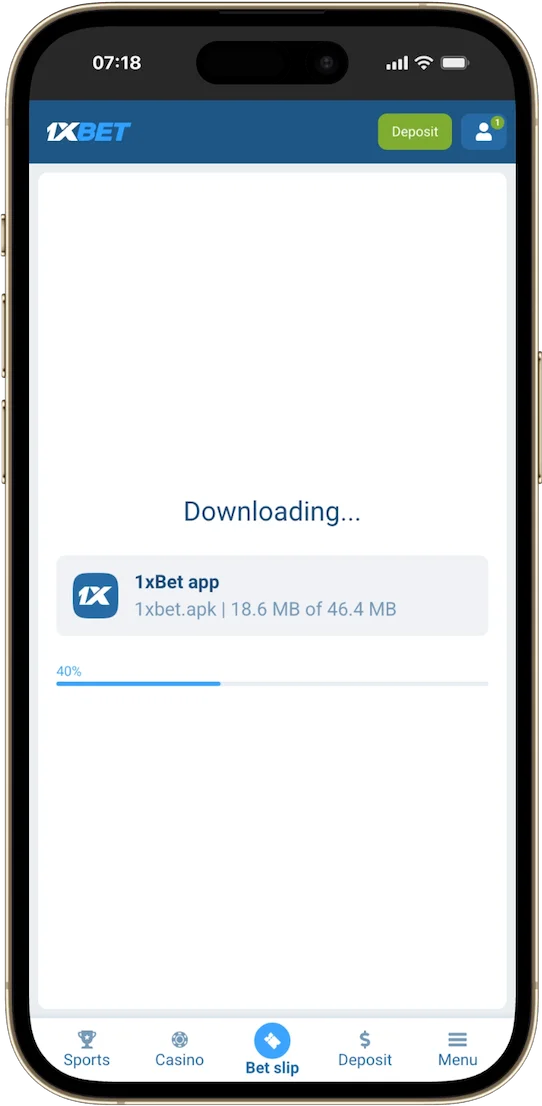
Download the file from the official site in Chrome, allow installs from Chrome for a moment, install the app, then switch that permission off again.
- On your phone, open the official site in Chrome.
- Go to the mobile apps section and tap the Android download button.
- Chrome may warn that this type of file can be harmful — that’s normal for any file that doesn’t come from Google Play. Confirm the download.
-
If Android blocks the install, go to Settings › Apps › Special app access › Install unknown apps, choose Chrome and turn on “Allow from this source”. The exact path varies a little by phone brand.
- Open the file from your downloads and tap Install.
- Open the app and log in or create an account.
- Go back to settings and turn “Allow from this source” off for Chrome.
Checking the app is safe
The risk is lowest when you download from the official site and let Google Play Protect scan the app. No APK is 100% safe, so keep Android up to date.
- Download only from the official site — never from mirror sites or links sent on WhatsApp or Telegram.
- Keep Google Play Protect on: it also scans apps installed outside Google Play.
- The app only needs network, storage and notification access. Refuse access to your SMS, contacts or accessibility settings.
- The download is always free. Any page asking you to pay for the APK is a scam.
- Turn off installs from unknown sources once you’re done.
App or mobile site: which one?
The app is faster and sends notifications; the mobile site needs no install and suits older phones or phones that are nearly full.
| Android app | Mobile site | |
|---|---|---|
| Install | APK file | None — opens in your browser |
| Speed | Faster, native interface | Depends on your connection |
| Notifications | Yes (results, promotions) | No |
| Storage | About 46.9 MB plus cache | Browser cache only |
| Updates | In-app prompt or new APK | Automatic |
| Best for | Betting live often | Older phones, little storage |
Your balance, bets and bonuses are the same everywhere, so you can switch between the app and the site at any time. Bets placed in the app also count for the Appli&Bonus cashback of up to 25% (details in French) .
Updating the app
Accept the update when the app offers it, or download the latest APK from the official site and install it over the old version.
- Open the app and accept the update if one is offered.
- If not, download the latest APK from the official site.
- Install it without uninstalling the old version — Android replaces it.
- Log in again if asked.
Your data is stored on our servers, so updating never costs you your balance or history.
Common install problems
Most failures come from an Android version that’s too old, an incomplete download, a missing permission or a full phone.
| Message or symptom | Likely cause | Fix |
|---|---|---|
| “Parse error” | Android too old or incomplete file | Check you have Android 7.0 or later, then download the file again |
| “App not installed” | Incomplete file or clash with an old version | Delete the file and download it again; uninstall the old version only if the error comes back |
| “Install blocked” | Unknown-source installs not allowed | Allow Chrome for the time of the install |
| App won’t update | Update interrupted | Install the latest APK from the official site over the app |
| Download stops | Weak connection | Switch to Wi-Fi or restart the download |
| Not enough storage | Less than 150 MB free | Free up space and try again |
If your phone is too old, use the mobile site in your browser — it has the same sections. Still stuck? Call customer service on 8118.
Frequently asked questions
Is the app free?
Yes. It’s free to download from the official site; any page asking you to pay for the APK isn’t genuine.
Why isn’t 1xBet on Google Play?
Google Play only accepts real-money betting apps in some countries. In Cameroon, the Android app is downloaded as an APK from the official site.
Which Android version do I need?
Android 7.0 or later. On older phones the install often fails with a “parse error” — use the mobile site instead.
How big is the APK?
About 46.9 MB. Keep at least 150 MB free, as the app takes 120–150 MB once installed.
Do I need to uninstall the old version before updating?
Usually not: the new version installs over the old one. Only uninstall if Android shows a conflict error.
Is there an iPhone app?
Yes, from the App Store, for iPhone and iPad. See 1xBet on iPhone .